

Setting up CI/CD for your Power Platform Solution and not finding the choice to create the Release pipelines? You are at the right place. This post will guide you how to enable it.
Initially you will be seeing like this once you select a particular project. In my case project name is “james”.

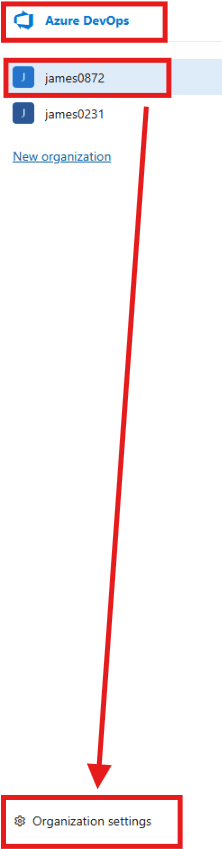
- Click on Azure DevOps to come to the landing page where you will see the list of organizations you have.
- Select the organization in which you have your project. In my case, it is “james0872“. You can figure this out from the navigation path at the top: Azure DevOps / james0872/james.
- Click on Organization Settings at the bottom.
- On the left navigation under Pipelines, select Settings.
- Under Settings, turn off the “Disable creation of classic build pipelines” and “Disable creation of classic release pipelines“.

- Open your project again and check the Pipelines. You will see Releases. Now you can create your Release pipelines.

Enjoy deployment!
 Power Platform Tips and Tricks
Leave a comment